I'm primarily in interested the way I can use feathers to build volume, I may end up changing the face and some of the shapes but this will serve as the inspiration that I'll build from
Tuesday, February 19, 2019
Organic Sculpt Declaration
I'm primarily in interested the way I can use feathers to build volume, I may end up changing the face and some of the shapes but this will serve as the inspiration that I'll build from

Monday, February 18, 2019

Monday, February 11, 2019
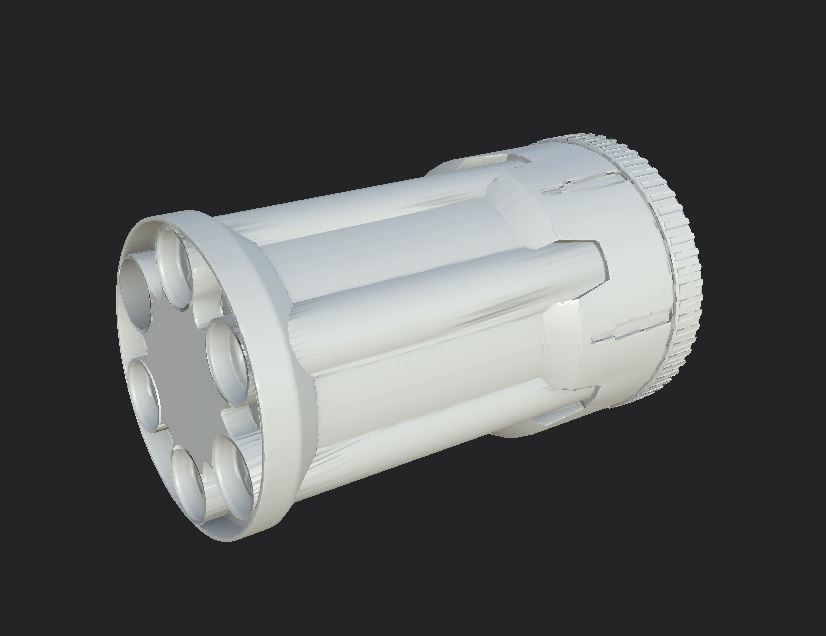
Nerf Blaster Week 3 - Game Res and UV



Monday, February 4, 2019
Hard Surface - Nerf Blaster Week 2


Monday, January 28, 2019
Hard Surface Blaster - Week 1

Week 1 Progress on the Nerf Blaster created in Maya. I'm not as far as I'd like to be at this point, but I can try to put in some more time next week, balancing the Capstone/Gamelab/3D workload has been rough lately, especially with lead stuff throwing me curve balls all week.
Monday, January 21, 2019
Knife Week 2


Monday, January 14, 2019
Semester 2 - Week 1 Hard Surface Knife

Our first project of the semester is concerned with modeling a knife with smooth maya shapes, correcting sharp angles with the crease tool before converting the resulting shapes to geometry. Once the pieces are assembled, I imported them to Zbrush and used the LiveBoolean tool to use the geometry I had created to cut holes in the handle, blade, and spine ring to get the holes, bevels, and cuts that I needed. I constructed the maya model exploded with almost all the pieces separate from each other besides the ones I wanted to make sure were perfectly aligned with specific parts of the handle.

Subscribe to:
Posts (Atom)